邁向可驗證的 AGI 與 ASI Toward grounded AGI & ASI
Wisdom before intelligence 智慧先於智能
Sophia AGI 是一套以來源紀律與驗證閘道為核心的開源研究計劃:不在無法查證時胡謅,以公開失敗帳本記錄缺口,並同步建造測量優先的空間世界模型。目標是 AGI / ASI——但從不假裝已經達成。 Sophia AGI is an open research program built on provenance discipline and verifier gates: abstain instead of fabricate, publish a failure ledger of what is still open, and build a measurement-first spatial world model. The aim is AGI / ASI — without pretending we are there.
現代 AI 會把《道德經》說成孔子、把 1950 年代的想法歸給佛洛伊德,再把錯當前提繼續推理。Sophia 把「來源紀律」做成可機器執行的閘道:查得到才接受,查不到就棄權或攔截——並以同一套誠實標準推進 AGI 形狀的能力與空間世界模型。
Modern AI merges the Dao De Jing with Confucius, credits Freud for 1950s ideas, then reasons on top of the error. Sophia turns source discipline into a machine-enforced gate: accept only what verifies, abstain or block otherwise — and applies the same honesty standard to AGI-shaped capabilities and a spatial world model.
自信,不等於正確 Confidence is not correctness
同一道問題,一般語言模型自信地答錯;Sophia 追溯來源,必要時誠實地拒絕作答。閘道公式:claim → verify → accept · abstain · block。 Same question. A generic model answers confidently — and wrong. Sophia traces sources and abstains when honesty demands it. The gate: claim → verify → accept · abstain · block.
點選一個問題,看看兩者的回答 ↓ Pick a question and compare the answers ↓
示意互動展示,依來源紀律原則整理;完整推理與驗證流程見 GitHub。 Illustrative interactive demo based on source-discipline principles. Full reasoning and verifier flow on GitHub.
來源可查證的推理層 A provenance-aware reasoning layer
不是另一個聊天機器人——是可接入任何代理管線的治理閘道、語料與基準、以及可離線運行的 MCP 工具面。 Not another chatbot — a governance gate for any agent pipeline, an open corpus and benchmarks, and an offline-capable MCP tool surface.
建造 AGI / ASI 的誠實路徑 An honest path toward AGI / ASI
不靠「更大模型」口號。Sophia 在信任層創新:來源、驗證、校準、失敗封閉,以及可量測的自我擴展。以下為目前實作狀態——已接線、部分、或玩具介面皆標示清楚。 Not “scale alone.” Sophia innovates at the trust layer: provenance, verification, calibration, fail-closed control, and measurable self-extension. Status below is honest — live, partial, or toy interface.
canClaimAGI 維持 false。公開失敗帳本記錄每一個 OPEN 阻礙。
Scope: This is a research program toward AGI — not a claim of AGI. Thresholds are pre-registered and not all met. canClaimAGI stays false. A public failure ledger lists every OPEN blocker.
推理核心與審議Reasoning core & deliberation
多後端 LLM、CoT / best-of-N、自我驗證、過程獎勵、部門議會(sector councils)。路徑:agent/model.py、agent/best_of.py、agent/council_deliberate.py。Multi-backend LLMs, CoT / best-of-N, self-verification, process reward, sector councils. Paths: agent/model.py, agent/best_of.py, agent/council_deliberate.py.
信念圖與來源引擎Belief graph & provenance engine
可查詢的 claims/justifications 圖、信心沿鏈傳播、矛盾帳本、反事實移除與撤回。路徑:okf/graph.py、okf/counterfactual.py。Queryable claims/justifications graph, min-over-chain confidence, contradiction ledger, counterfactual removal and retraction. Paths: okf/graph.py, okf/counterfactual.py.
驗證層與閘道Verification layer & gate
神經符號檢查、可執行驗證、引用驗證、graded answer/hedge/abstain。閘道:agent/gate.py、agent/grounded_gate.py、agent/verifiers.py。Neurosymbolic checks, executable verification, citation validation, graded answer/hedge/abstain. Gate: agent/gate.py, agent/grounded_gate.py, agent/verifiers.py.
安全、BLP 與 MCP 閘道Security, BLP & MCP gateway
Bell-LaPadula 分類、防火牆、airgap 設定檔、kill-switch、輸出再驗證。側效工具預分派授權測試覆蓋。Bell-LaPadula labels, dataflow firewall, airgap profile, kill-switch, served-output re-verification. Pre-dispatch authz on side-effecting tools.
記憶、檢索與校準Memory, retrieval & calibration
向量檢索已接入(提交的 lexical-semantic hash 後端 + 可選高品質後端)。分級信心來自來源品質,對正確性預測偏弱——已如實量測。結構化 KG 固化尚未進 live 路徑。Vector recall is live (committed lexical-semantic hash backend + optional higher-quality backends). Graded confidence is a provenance prior, weak as a correctness predictor — measured and disclosed. Structured-KG consolidation not yet in the live path.
自我擴展驗證飛輪Self-extending verification flywheel
棄權 → 找缺口 → 合成 verifier → held-out 驗證 → 晉升或維持棄權。離線確定性迴圈已閉合;live RL 權重更新(需 GPU)仍 OPEN。Abstain → find gap → synthesize verifier → prove on held-out → promote or stay abstained. Offline deterministic loop closed; live RL weight update (GPU) remains OPEN.
AGI 缺柱(介面 + 參考實作)AGI missing pillars (interfaces + toys)
程式歸納、主動推理、MCTS 規劃、預測世界模型、持續可塑性、分層記憶——皆為可測的 fail-closed 介面與玩具參考,不是其名稱所描述的完整能力。產出標記 candidateOnly: true。Program induction, active inference, MCTS planning, predictive world model, continual plasticity, layered memory — fail-closed interfaces with toy references, not the capabilities their names describe. Artifacts marked candidateOnly: true.
RLVR · LoRA · 本地推理RLVR · LoRA · local inference
Verifier-gated 訓練、adapter 晉升閘、Sophia-Wisdom-4B 試點、DGX Spark / 本地 Ollama 路徑。多項 GPU 活跑與第三方 hidden eval 仍在失敗帳本 OPEN。Verifier-gated training, adapter promotion gates, Sophia-Wisdom-4B pilot, DGX Spark / local Ollama paths. Multiple GPU live runs and third-party hidden evals remain OPEN in the failure ledger.
空間世界模型(Sophia World)Spatial world model (Sophia World)
與推理軌跡世界模型分開:把消費級 360° 影片變成測量優先、來源閘控的數位孿生。詳見下方進度。Separate from the reasoning-trajectory world model: consumer 360° video → measurement-first, provenance-gated digital twins. Progress below.
能上標題的數字,才上標題 Only numbers that clear the gate
VALIDATED 需 ≥2 獨立評審家族共識、報告一致性、≥3 次運行與信賴區間。其餘標為 illustrative / candidate。 VALIDATED requires ≥2 independent judge families in consensus, reported agreement, ≥3 runs, and confidence intervals. Everything else is labelled illustrative / candidate.
歸因幻覺下降(本地 8B)Attribution-hallucination reduction (local 8B)
Δ 12.5 百分點(95% CI [5.6%, 19.4%]),假陽性成本 0%。弱模型現象;強基座上會衰減。第一方 pack 限制已公開標註。Δ 12.5 pp (95% CI [5.6%, 19.4%]) at 0% false-positive cost. Weak-model phenomenon; decays on strong bases. First-party pack bounds disclosed.
SimpleQA 選擇性預測SimpleQA selective prediction
20% coverage 選擇性準確率提升:DeepSeek +15.8% [9.8%, 22.1%];Qwen-2.5-72B +7.8% [2.3%, 13.5%]。κ ≈ 0.97 / 0.99。校準結果,非 AGI 宣稱。Selective accuracy lift @20% coverage: DeepSeek +15.8% [9.8%, 22.1%]; Qwen-2.5-72B +7.8% [2.3%, 13.5%]. κ ≈ 0.97 / 0.99. Calibration result — not an AGI claim.
陷阱棄權:0% 虛構Trap abstention: 0% fabrication
自建棄權校準包上,Sophia 對真正「我不知道」陷阱虛構 0%;原始模型 17–25%。後續 T2 複製發現此類別上 pipeline 可能不優於 raw——已記入失敗帳本,不當永久標題。On a self-authored abstain pack, Sophia fabricated 0% on genuine “I don’t know” traps vs 17–25% raw. Later T2 replication found the pipeline may not beat raw on that class — logged in the failure ledger; not a standing headline.
法律引用 · 步驟驗證Legal citations · step verifier
小型構造基準上,legal_citation_exists 與 misstep-injection step verifier 均 100% 召回、0% 假警報。驗證閘道邏輯,非廣域能力宣稱。On small constructed benches, legal_citation_exists and misstep-injection step verifier hit 100% recall at 0% false alarm. Validates gate logic — not broad capability claims.
這不是「我們達成 AGI」的宣稱 This is not a claim of AGI
Sophia 是一個 AGI 候選驗證套件:已量測的窄域成果、可追溯來源圖、可複製的閘道機械,以及公開失敗帳本——誠實列出仍未證明的事。智慧先於智能;ASI 是遠程北極星,不是今天的標籤。
Sophia is an AGI-candidate proof package: measured narrow results, traceable provenance graphs, reproducible gate machinery, and a public failure ledger of what is not yet proven. Wisdom before intelligence; ASI is a long-horizon north star, not today’s label.
從消費級 360° 到可信任的度量孿生 From consumer 360° to trustworthy metric twins
伴生研究軌道:測量優先、來源閘控的混合空間世界模型。重點不是「看起來像 3D」,而是減少虛假自信的米制量測——Sophia 來源紀律在物理空間的類比。 Companion research track: a measurement-first, provenance-gated hybrid spatial world model. The goal is not photoreal 3D — it is reducing false-confident metric measurements, the spatial analogue of Sophia’s provenance delta.
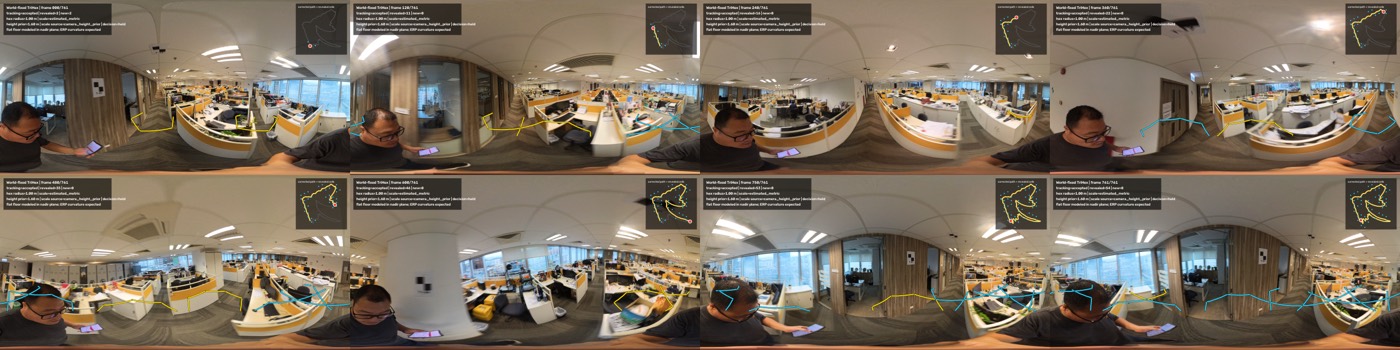
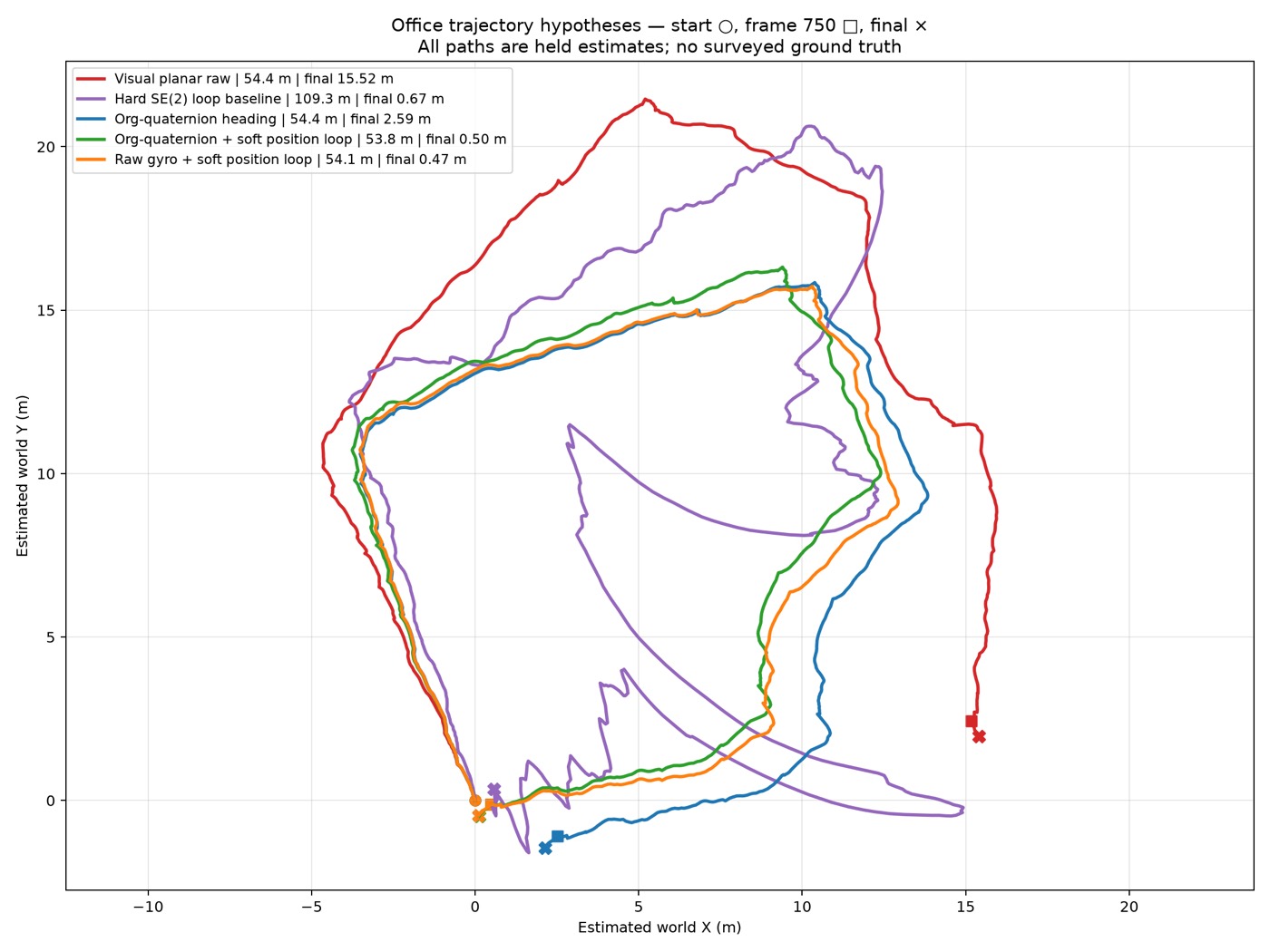
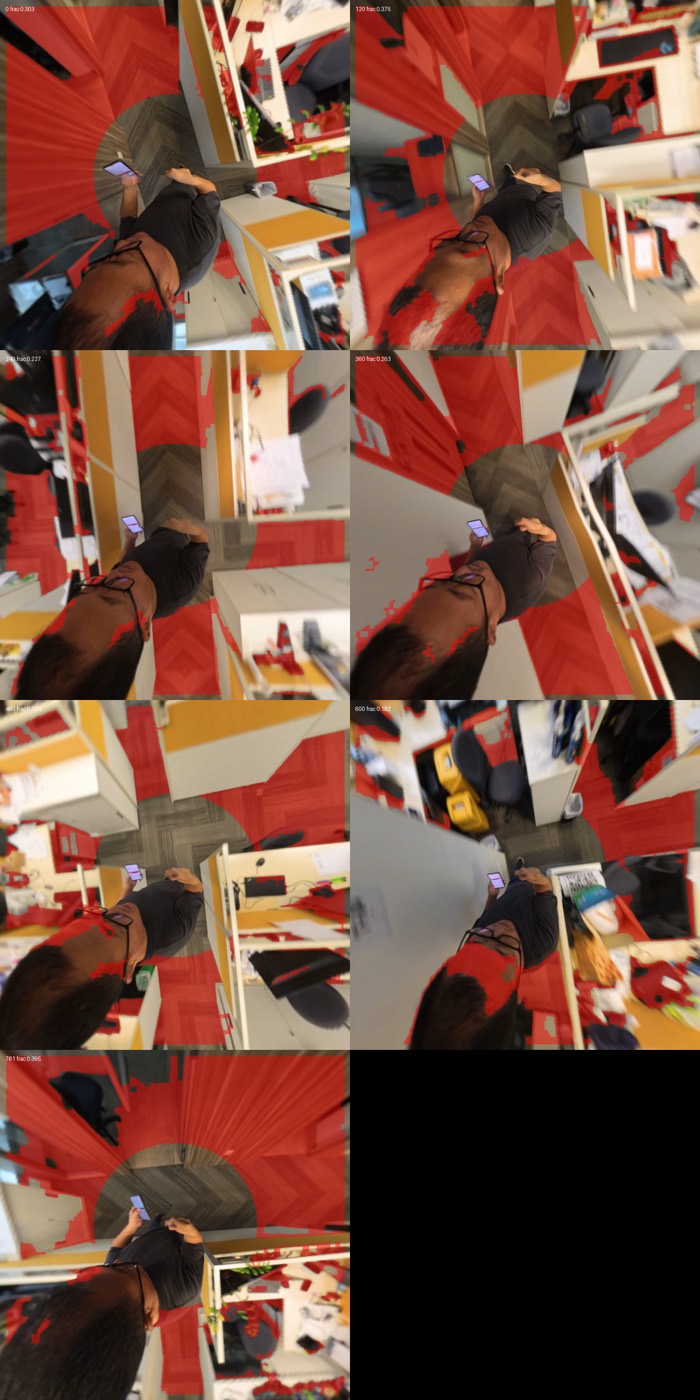
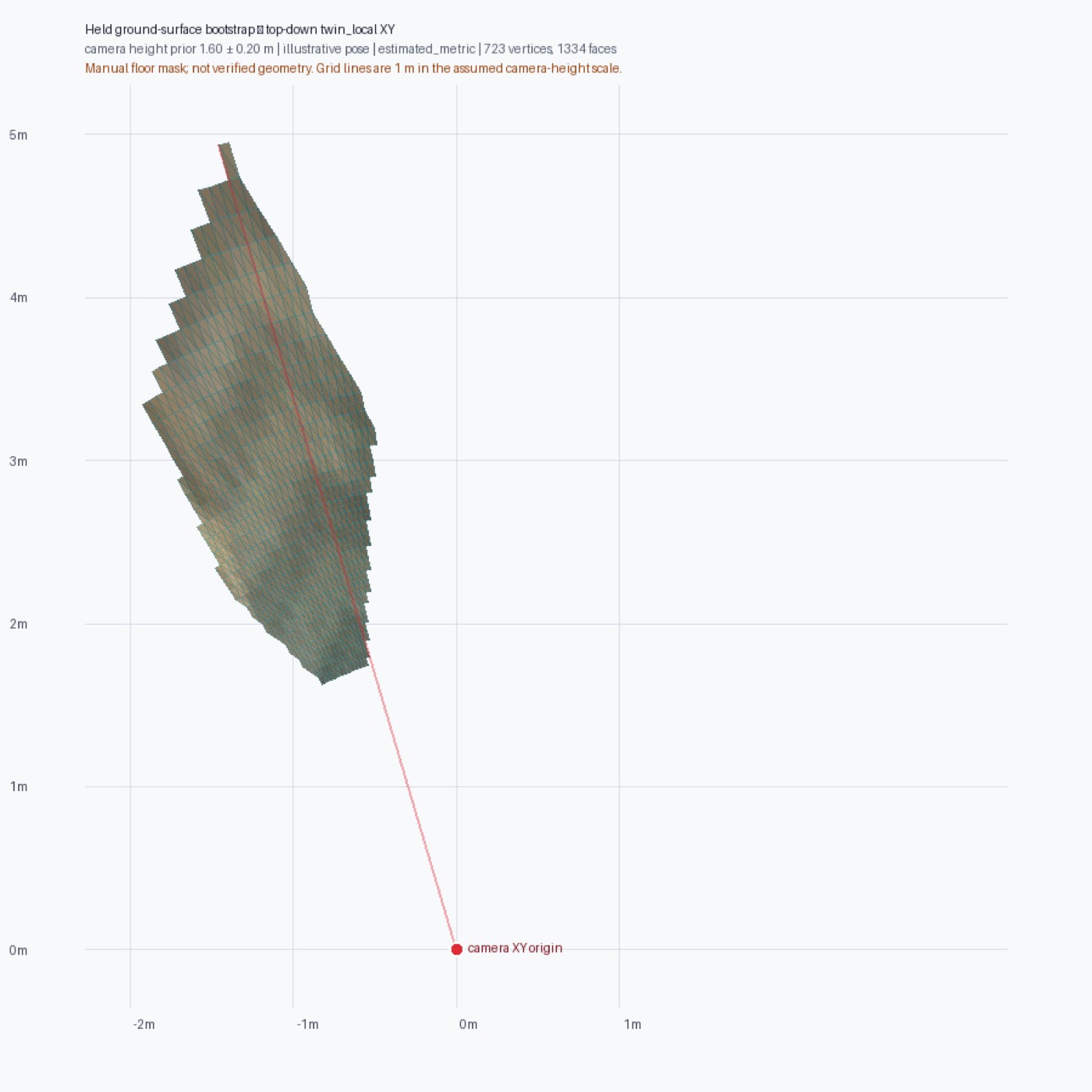
已完成的基礎(2026-07)Foundation complete (2026-07)
- 隱私安全的五擷取清冊、時間戳與必要角色完整性檢查全部通過Privacy-safe five-capture inventory; all timestamp & required-role completeness checks pass
- ERP 射線幾何、cubemap / 切平面投影、相機姿態、地面交點ERP ray geometry, cubemap/tangent projection, poses, ground intersections
- 確定性關鍵幀、操作者遮罩、TriHex 疊加與影片原型Deterministic keyframes, operator masks, TriHex overlay & video prototypes
- 失敗封閉尺度政策、控制點校正、量測不確定性、Spatial Provenance DeltaFail-closed scale policy, control calibration, measurement uncertainty, Spatial Provenance Delta
- stella_vslam / DAP / PanoVGGT / VGGT-Omega / RVT→IFC 的本地 preflight 契約Local preflight contracts for stella_vslam, DAP, PanoVGGT, VGGT-Omega, RVT→IFC
- 只讀、僅 accepted 的 MCP bridge 接入 sophia-agiRead-only, accepted-only MCP bridge into sophia-agi
下一步關鍵閘門Next critical gates
- 安裝並釘選第一個經典軌跡後端(stella_vslam)Install and pin first classical trajectory backend (stella_vslam)
- 觀測到的地面 / 動態分割取代手動遮罩Observed floor/dynamic segmentation instead of manual masks
- 全景深度或原始雙魚眼立體Panorama depth or raw dual-fisheye stereo
- 實體 TriHex / 標定物或測繪控制點Physical TriHex / fiducials or surveyed controls
- 替換 illustrative 姿態與相機高度假設Replace illustrative pose and camera-height assumption
- 產出第一個獨立核對的 accepted 量測First independently checked accepted measurement
held;外部重建後端在本機 runtime 尚未可用(preflight 有意不執行推理)。外觀(NeRF / Gaussian)不得單獨充當結構量測。研究倉庫目前為私有開發軌道;公開敘事以 sophia-agi 整合與本頁進度為準。
Honest bound: current status is data readiness, not geometric accuracy. First floor mesh decision is held; external reconstruction backends are not yet available in the local runtime (preflight deliberately non-executing). Appearance (NeRF / Gaussians) must not be the sole structural measurement. The research checkout is a private development track; public narrative is via sophia-agi integration and this progress board.
從候選到可辯護的能力 From candidate to defensible capability
預先註冊、失敗封閉、公開帳本。每一級都必須通過 no-overclaim 閘門,而非敘事升級。 Pre-register, fail closed, publish the ledger. Each level upgrades only through the no-overclaim gate — not narrative escalation.
L0–L1 · 來源閘道與量測紀律L0–L1 · Provenance gate & measurement discipline
語料、基準、閘道、契約、失敗帳本——已出貨。窄域 VALIDATED 成果已公開。Corpus, benchmarks, gate, contract, failure ledger — shipped. Narrow VALIDATED results published.
L2 · 良心、代理與工具真實L2 · Conscience, agency & tool truth
良心核、道德公共標準、MCP 閘道、swarm 信任邊界。部分已上線;第三方 agentic delta 仍 OPEN。Conscience kernel, public moral standard, MCP gateway, swarm trust boundary. Partially live; third-party agentic delta still OPEN.
L3 · 執行真相與獨立評測L3 · Execution truth & independent eval
第三方 hidden eval、live RLVR、跨域保留、Lean/證明搜索與 independence-v2。多項為基礎設施就緒、結果待量測。Third-party hidden eval, live RLVR, cross-domain retention, Lean/proof search, independence-v2. Much infrastructure ready; many outcomes still to measure.
L4+ · 世界模型、RSI 與 ASI 方向L4+ · World models, RSI & ASI direction
空間孿生(Sophia World)+ 推理世界模型、受治理的持續學習、受驗證的自我改進。ASI 只作為需證明的遠程目標,從不作為預設標籤。Spatial twins (Sophia World) + reasoning world models, governed continual learning, verified self-improvement. ASI remains a long-horizon target that must be proven — never a default label.
幾分鐘內開始 Get started in minutes
複製 sophia-agi,跑離線閘道 demo,或掛上 MCP。語料在 Hugging Face;論文與排行榜在 thesis site。可完全本地 / airgap 運行。 Clone sophia-agi, run the offline gate demo, or attach MCP. Corpus on Hugging Face; thesis and leaderboards on the thesis site. Fully local / airgap capable.
# 複製儲存庫Clone the repo
$ git clone https://github.com/tomyimkc/sophia-agi.git
$ cd sophia-agi

# 離線閘道 demo(無需 API key)Offline gate demo (no API key)
$ python scripts/demo_gate.py

# MCP 伺服器MCP server
$ pip install -r requirements-mcp.txt
$ python sophia_mcp/server.py

# 良心核 demoConscience kernel demo
$ python tools/run_conscience_demo.py